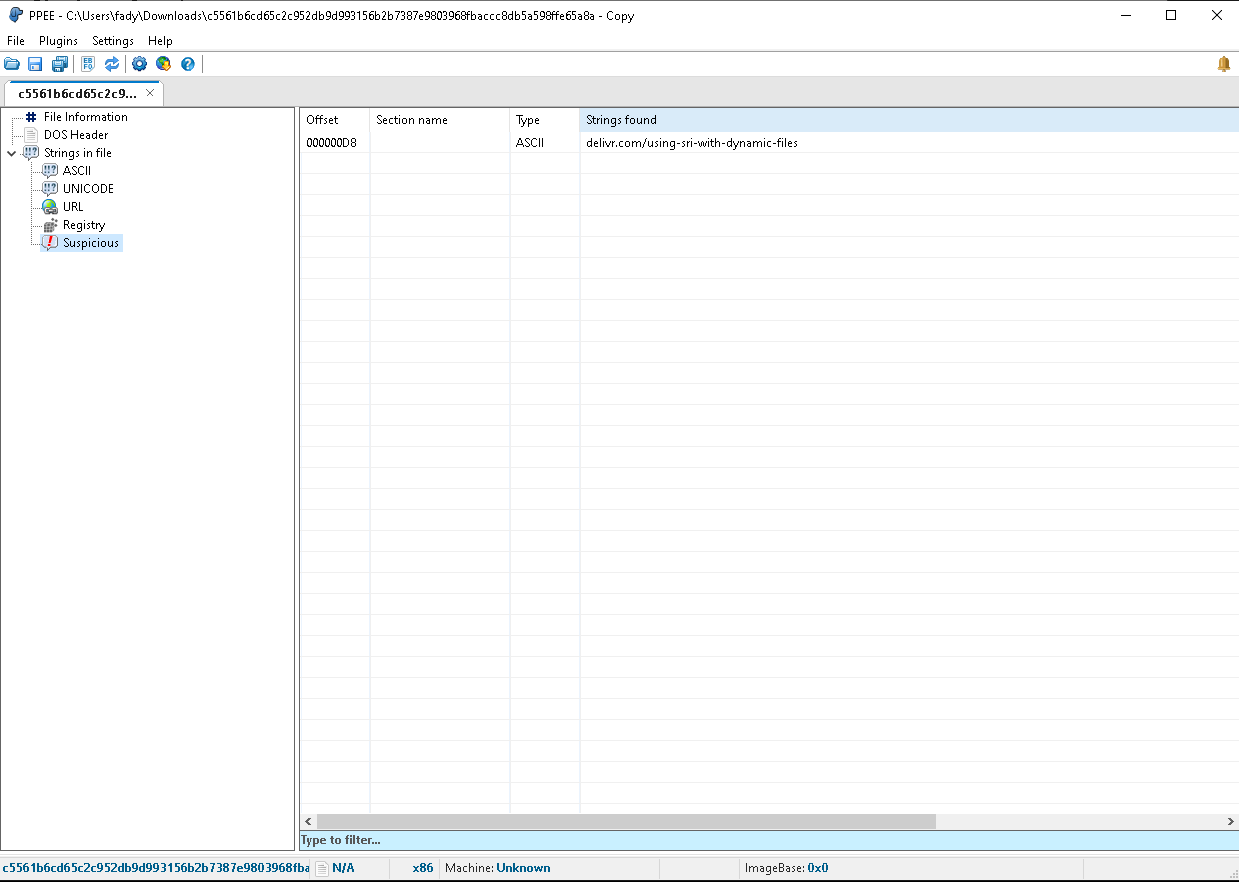
strings -a sample.exe | more # use W32.Nimda.E from thezoo
upx -o Sample_Packed.exe .\sample.exe # Packing
strings -a Sample_Packed | more # See again
upx -d -o Sample_Unpacked.exe Sample_Packed.exe # Unpacking
TrID
trid.exe .\Sample_Packed
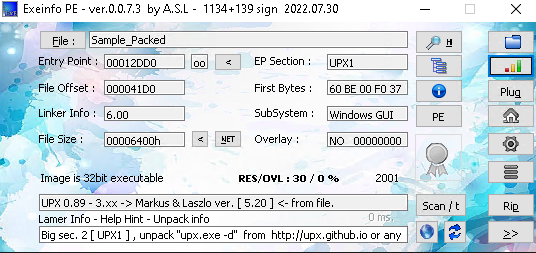
Exeinfo
PE
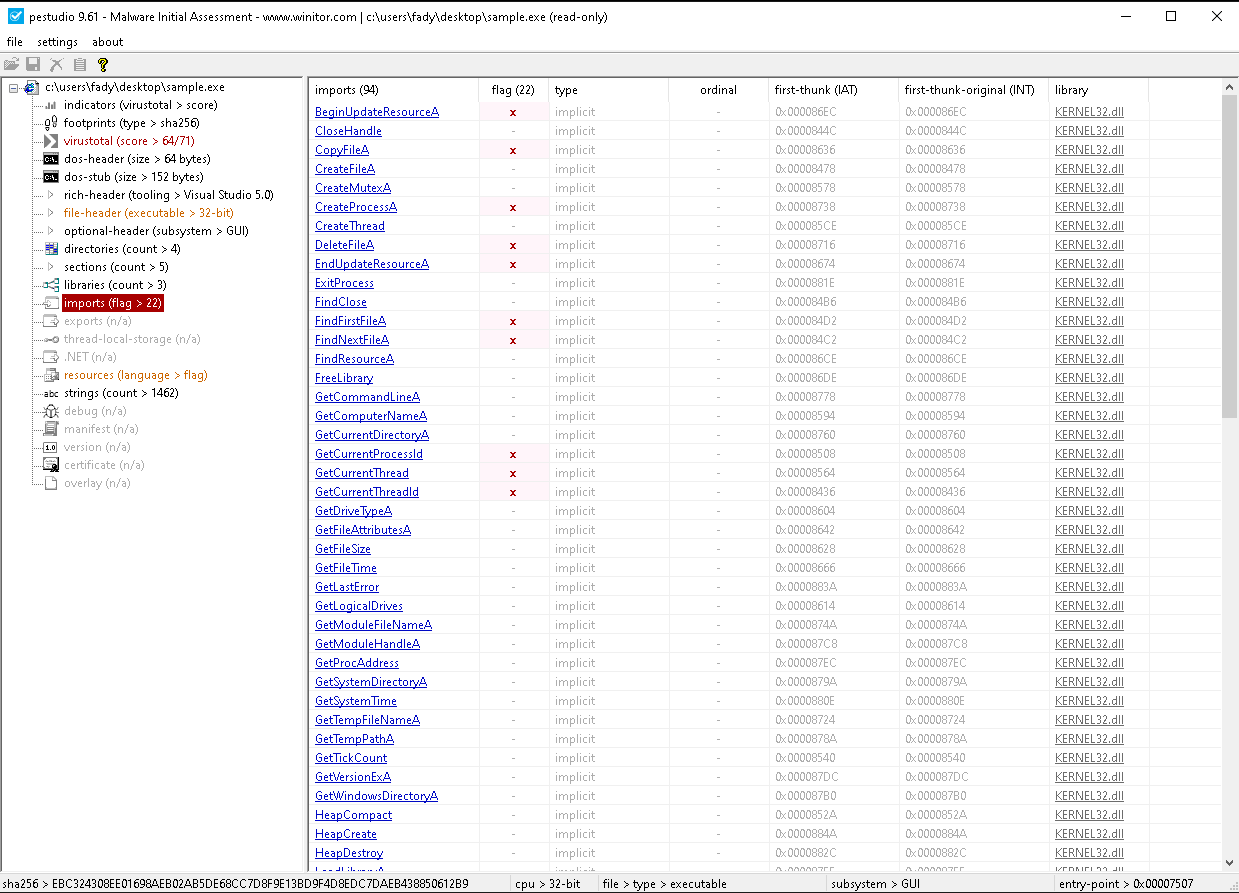
Dll Imports
Pe Studio
Python
import sysimport pefileif len(sys.argv) < 2: print("Usage: python3 script.py <path_to_pe_file>") sys.exit(1)mal_file = sys.argv[1]pe = pefile.PE(mal_file)if hasattr(pe, 'DIRECTORY_ENTRY_IMPORT'): for entry in pe.DIRECTORY_ENTRY_IMPORT: dll_name = entry.dll.decode('utf-8', 'ignore') if entry.dll else "Unknown DLL" print(dll_name) for imp in entry.imports: if imp.name is not None: func_name = imp.name.decode('utf-8', 'ignore') print(f"\t{func_name}") else: print(f"\tord({imp.ordinal})") print()
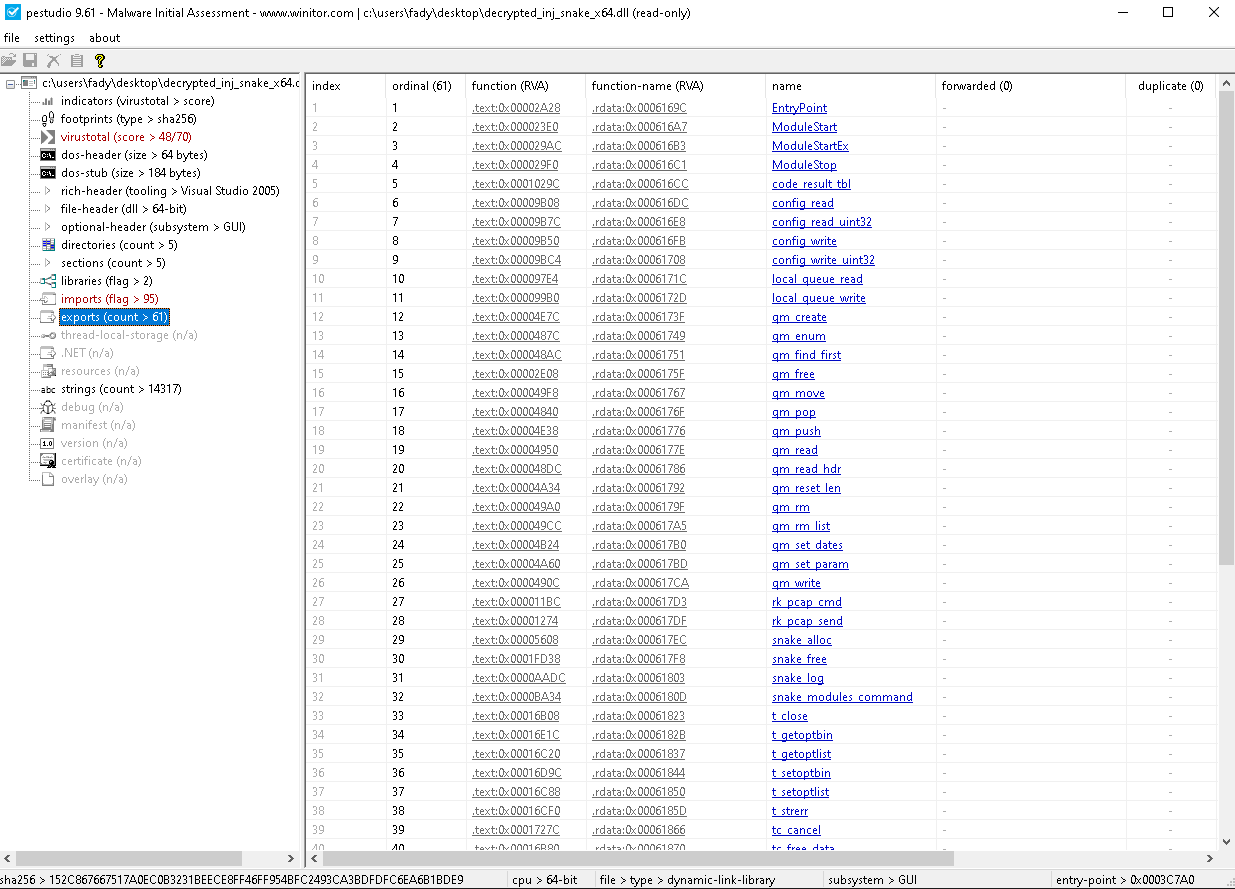
Dll Exports
Pestudio
Python
import sysimport pefile# You can replace this with sys.argv[1] if you want to pass the file via command linefile_path = "decrypted_inj_snake_x64.dll"try: pe = pefile.PE(file_path)except FileNotFoundError: print("Error: Could not find the file " + file_path) sys.exit(1)if hasattr(pe, 'DIRECTORY_ENTRY_EXPORT'): for exp in pe.DIRECTORY_ENTRY_EXPORT.symbols: # Check if the export actually has a name, as some are exported by ordinal only if exp.name is not None: # Decode the byte string returned by pefile in Python 3 export_name = exp.name.decode('utf-8', 'ignore') print(export_name) else: print("ord(" + str(exp.ordinal) + ")")else: print("No export directory found in " + file_path)
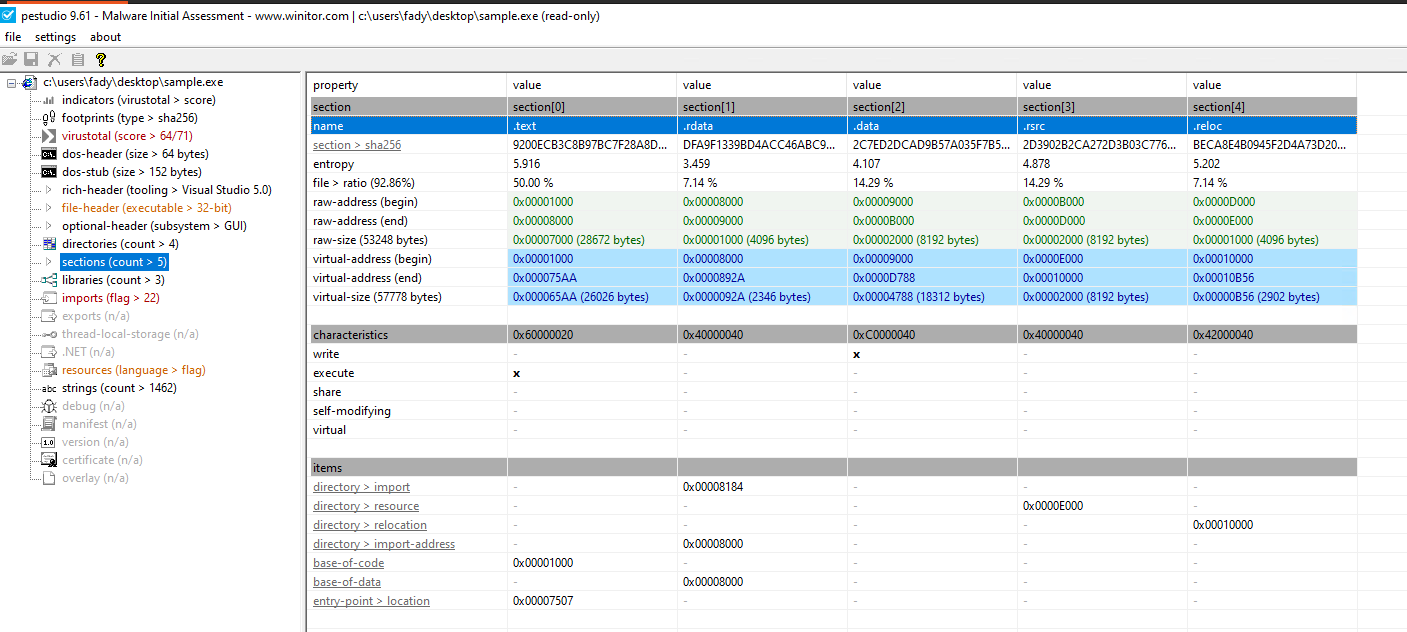
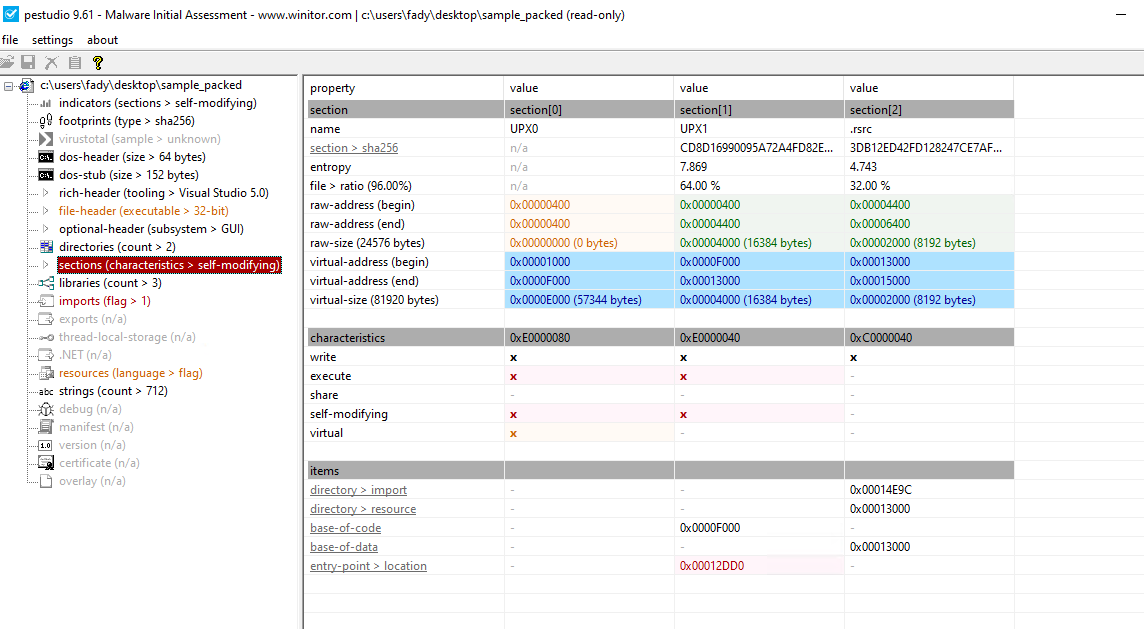
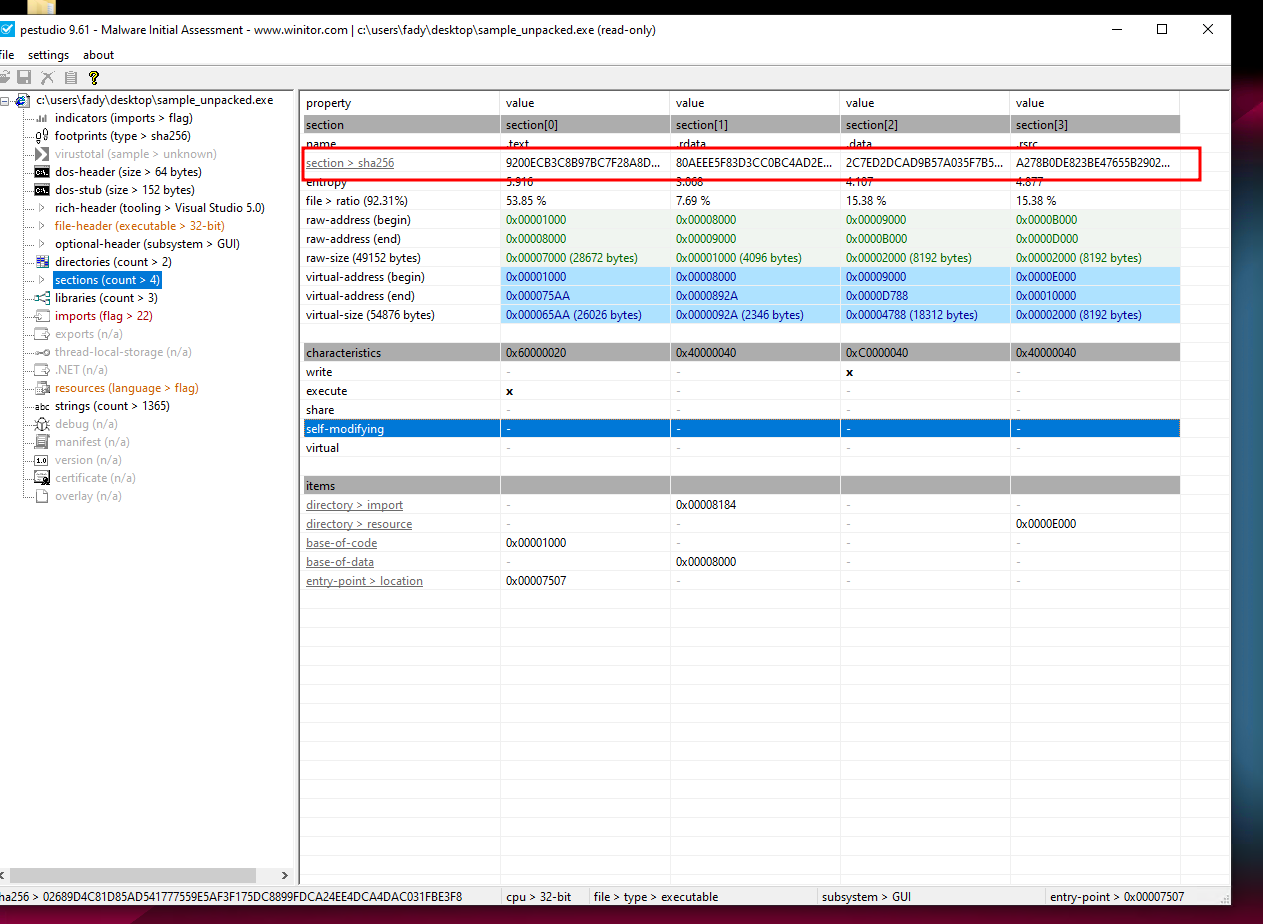
Section Table & Sections
PeStudio
Python
import sysimport pefileif len(sys.argv) < 2: print("Usage: python3 script.py <path_to_pe_file>") sys.exit(1)file_path = sys.argv[1]try: pe = pefile.PE(file_path)except FileNotFoundError: print("Error: Could not find the file " + file_path) sys.exit(1)for section in pe.sections: sec_name = section.Name.decode('utf-8', 'ignore').rstrip('\x00') print(f"{sec_name} {hex(section.VirtualAddress)} {hex(section.Misc_VirtualSize)} {section.SizeOfRawData}")print()
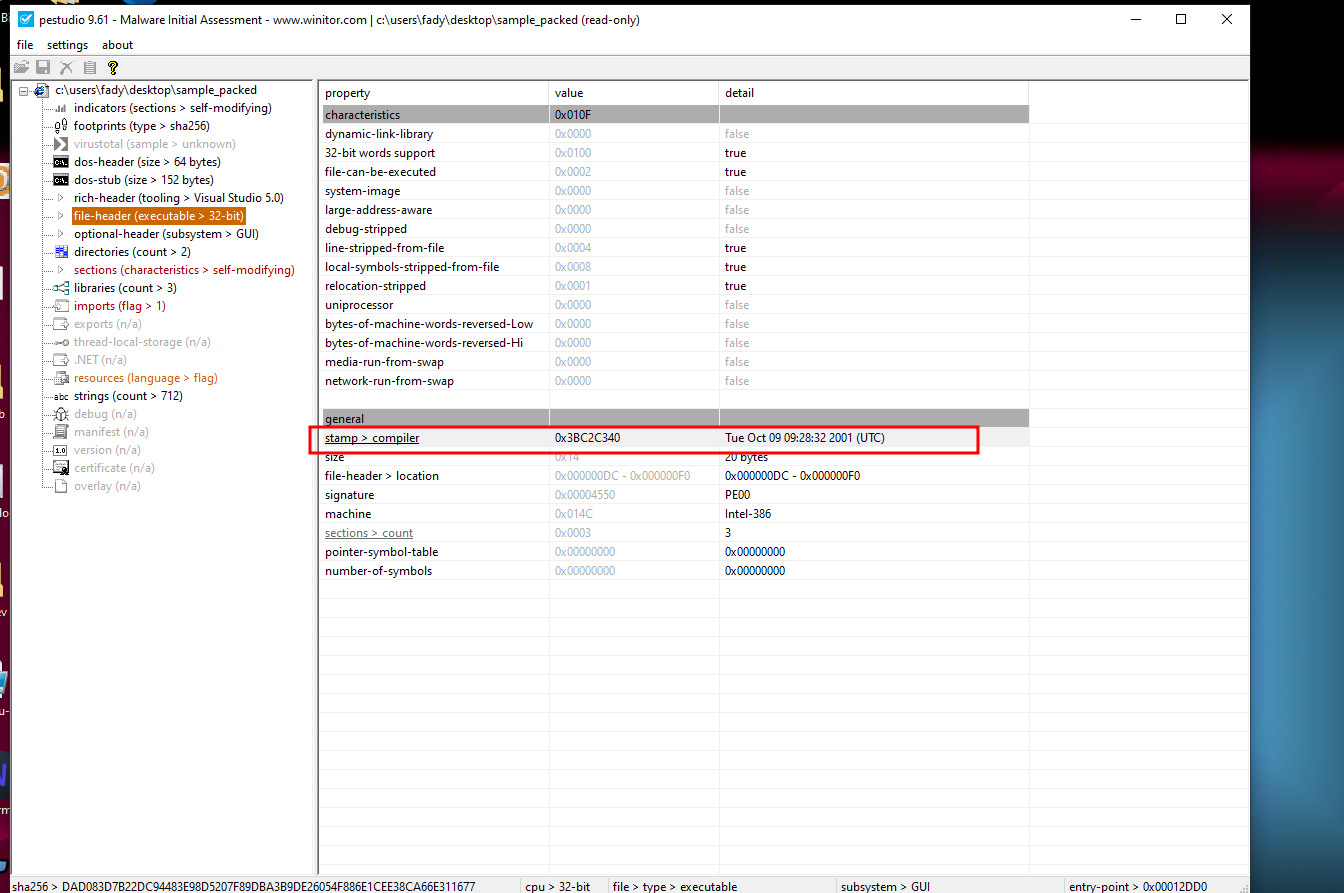
TimeStamp
Pestudio
Python
import sysimport timeimport pefileif len(sys.argv) < 2: print("Usage: python3 script.py <path_to_pe_file>") sys.exit(1)file_path = sys.argv[1]try: pe = pefile.PE(file_path)except FileNotFoundError: print("Error: Could not find the file " + file_path) sys.exit(1)# Extract the raw Unix epoch timestamp from the PE headertimestamp = pe.FILE_HEADER.TimeDateStamp# Convert the timestamp to a human-readable format.# time.gmtime() is used instead of time.localtime() to enforce UTC output.formatted_time = time.strftime("%Y-%m-%d %H:%M:%S", time.gmtime(timestamp))print("Compile Time: " + formatted_time + " (UTC)")
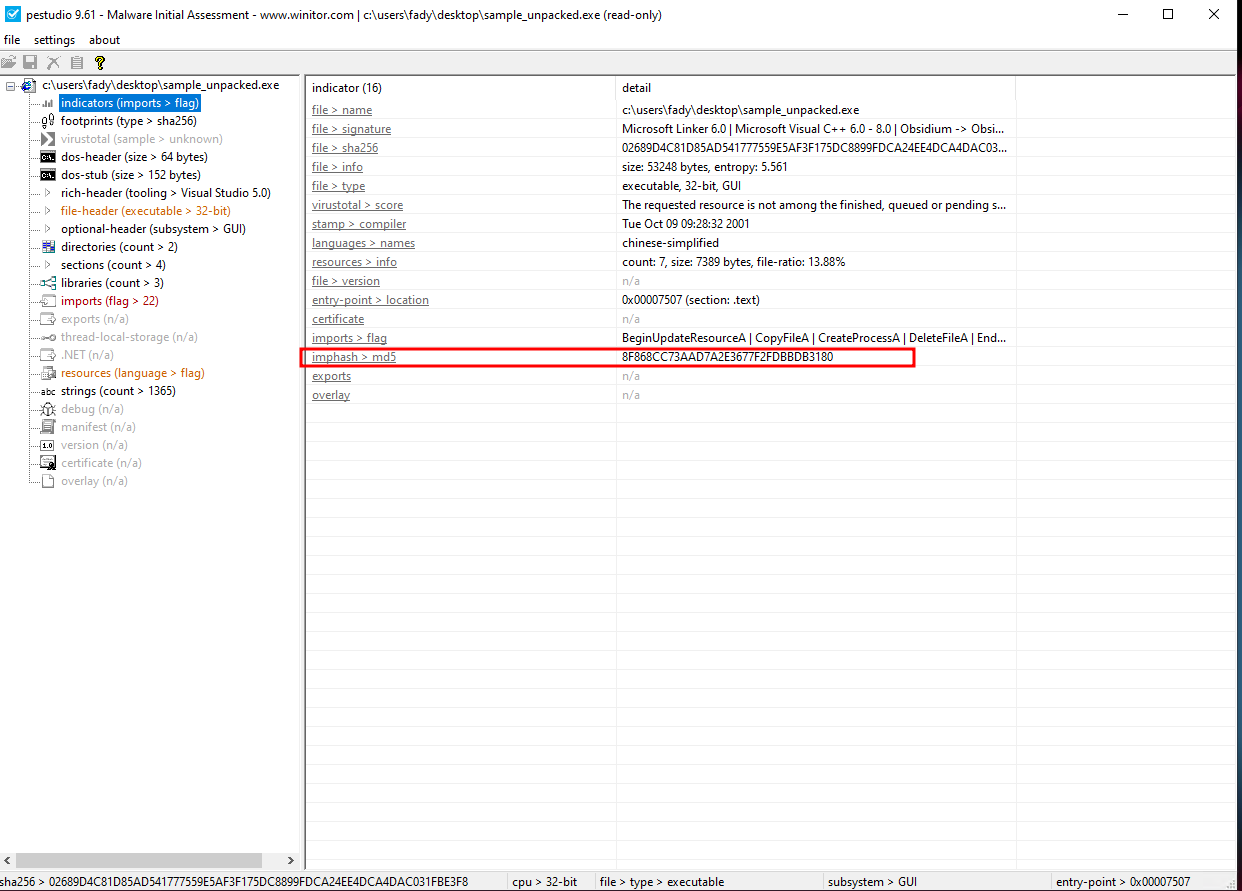
import sysimport pefileif len(sys.argv) < 2: print("Usage: python3 script.py <path_to_pe_file>") sys.exit(1)file_path = sys.argv[1]try: pe = pefile.PE(file_path) imphash = pe.get_imphash() print(imphash)except pefile.PEFormatError: print("Error: The provided file is not a valid Windows PE file.") sys.exit(1)except FileNotFoundError: print("Error: Could not find the file " + file_path) sys.exit(1)
Section Hash
Pestudio
Python
import sysimport pefileif len(sys.argv) < 2: print("Usage: python3 script.py <path_to_pe_file>") sys.exit(1)file_path = sys.argv[1]try: pe = pefile.PE(file_path)except pefile.PEFormatError: print("Error: The provided file is not a valid Windows PE file.") sys.exit(1)except FileNotFoundError: print("Error: Could not find the file " + file_path) sys.exit(1)print("Section\tMD5 Hash")print("-" * 40)for section in pe.sections: # Decode the byte string and strip trailing null bytes for clean output sec_name = section.Name.decode('utf-8', 'ignore').rstrip('\x00') # Extract the MD5 hash of the section sec_hash = section.get_hash_md5() print(f"{sec_name}\t{sec_hash}")
Yara
Yaragen-Go
Installation
go install github.com/Neo23x0/yarGen-go/cmd/yargen@latestgo install github.com/Neo23x0/yarGen-go/cmd/yargen-util@latestyargen-util update
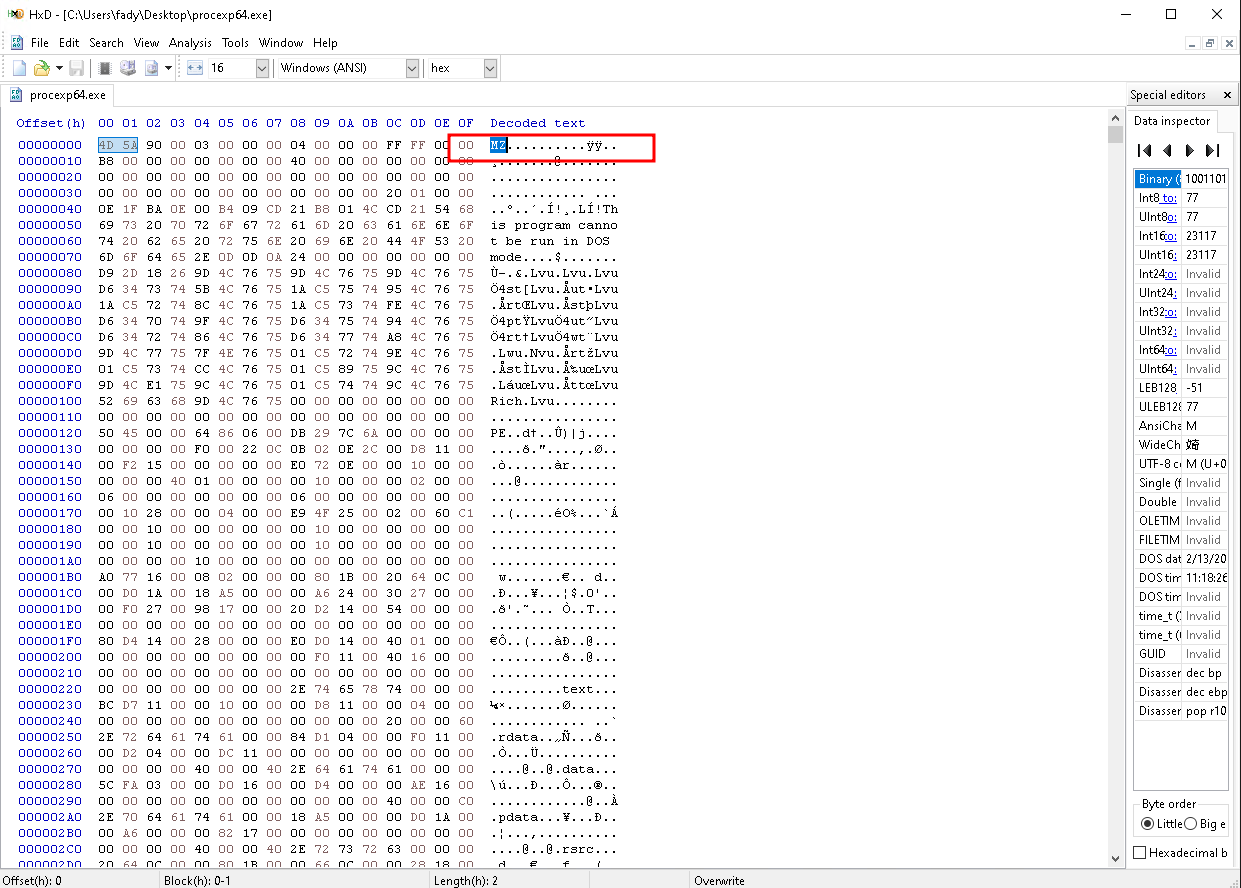
Relying on file extensions alone is not recommended. File extension is not the sole indicator of file type. Attackers use different tricks to hide their file by modifying the file extension and changing its appearance to trick users into executing it. Instead of relying on file extension, File signature can be used to determine the file type.
Fingerprinting
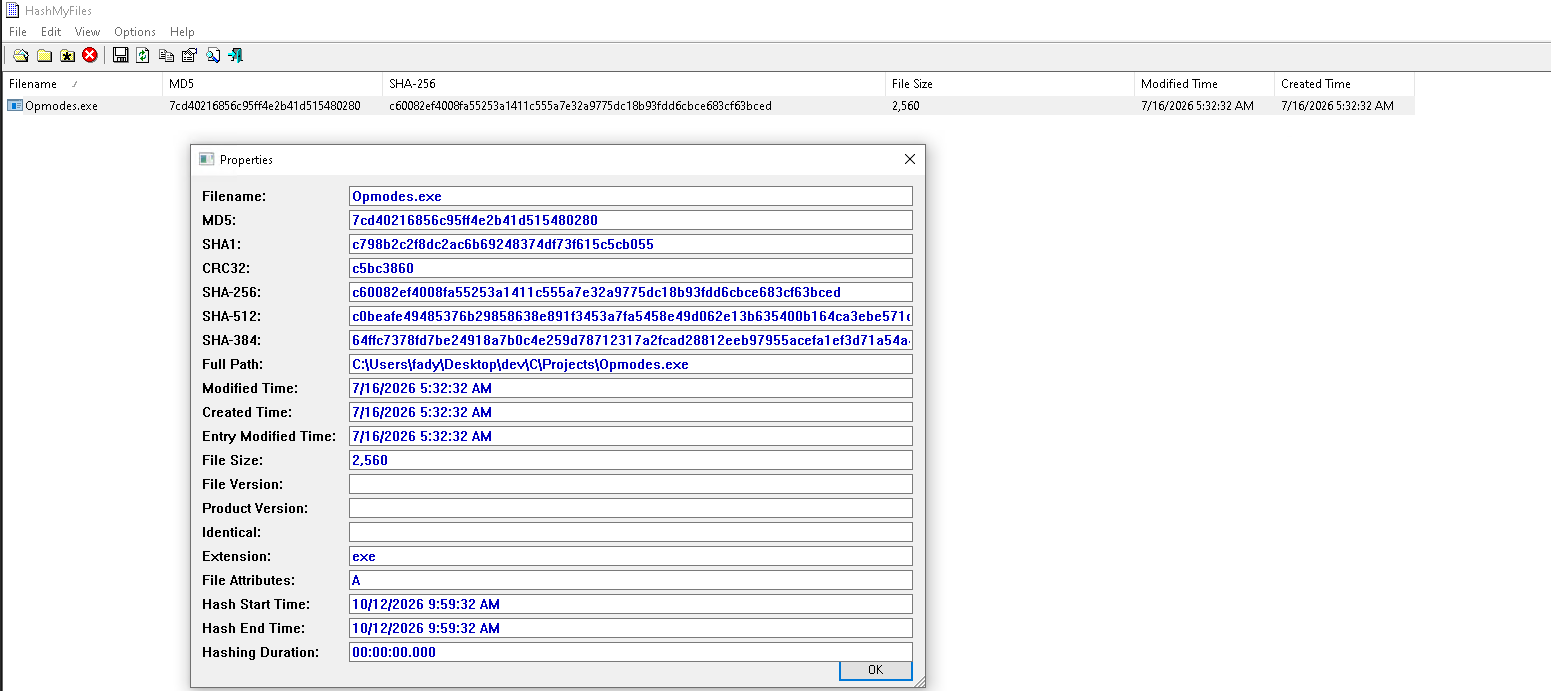
Identifying a malware specimen based on filename is ineffective because the same malware sample can use different filenames, but the cryptographic hash that is calculated based on the file content will remain the same. Hence, a cryptographic hash for your suspect file serves as a unique identifier throughout the course of analysis.
During dynamic analysis, when malware is executed, it can copy itself to a different location or drop another piece of malware. Having the cryptographic hash of the sample can help in identifying whether the newly dropped/copied sample is the same as the original sample or a different one. This information can assist you in deciding whether the analysis needs to be performed on a single sample or multiple samples.
File hash is frequently used as an indicator to share with other security researchers to help them identify the sample.
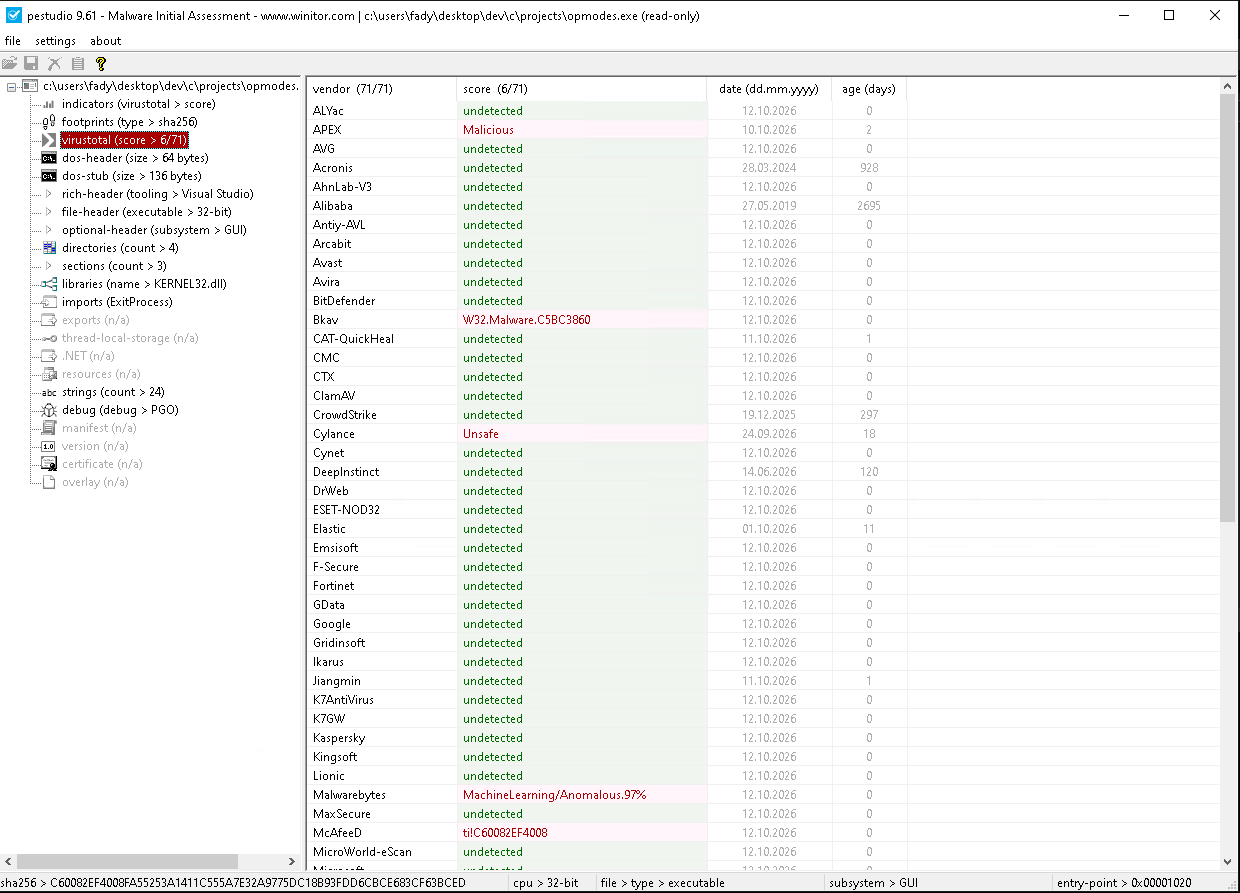
File hash can be used to determine whether the sample has been previously detected by searching online or searching the database of multi Anti-virus scanning service like VirusTotal.
Anti-Virus Scanning
If a suspect binary does not get detected by the Anti-Virus scanning engines, it does not necessarily mean that the suspect binary is safe. These anti-virus engines rely on signatures and heuristics to detect malicious files. The malware authors can easily modify their code and use obfuscation techniques to bypass these detections, because of which some of the anti-virus engines might fail to detect the binary as malicious.
When you upload a binary to a public site, the binary you submit may be shared with third parties and vendors. The suspect binary may contain sensitive, personal, or proprietary information specific to your organization, so it is not advisable to submit a binary that is part of a confidential investigation to public anti-virus scanning services. Most web-based anti-virus scanning services allow you to search their existing database of scanned files using cryptographic hash values (MD5, SHA1, or SHA256); so an alternative to submitting the binary is to search based on the cryptographic hash of the binary.
When you submit a binary to the online antivirus scanning engines, the scan results are stored in their database, and most of the scan data is publicly available and can be queried later. Attackers can use the search feature to query the hash of their sample to check whether their binary has been detected. Detection of their sample may cause the attackers to change their tactics to avoid detection.
Packing & PE
If you come across a malware with very few imports, then it is a strong indication of a packed binary.
Export function names may not always give an idea of a malware’s capabilities. An attacker may use random or fake export names to mislead your analysis or to throw you off track.
The PE section names are mainly for humans and are not used by the operating system, which means it is possible for an attacker or an obfuscation software to create sections with different names.
The entry point is in the UPX1 section, indicating that execution will start in this section (decompression routine).
The PE header contains information that specifies when the binary was compiled , It is also possible that an attacker modifies the timestamp to prevent an analyst from knowing the actual timestamp.
Files having the same imphash does not necessarily mean they are from the same threat group; you might have to correlate information from various sources to classify your malware. For example, it is possible that the malware samples were generated using a common builder kit that is shared among groups; in such cases, samples might have the same imphash.
Yara
CreateRemoteThread and createremotethread are different byte sequences. By default, YARA is case-sensitive. To match both, you’d add the nocase modifier:
Prefer long strings. A short string matches by accident: a four-character string turns up inside compressed data and base64 blobs on files that have nothing to do with your target, while an eight or twelve character string specific to the malware almost never does.
Windows programs frequently store strings as two bytes per character (Wide)
Wildcard Forms :
Syntax
Meaning
Use case
??
Any one byte
A single-byte field that varies (like a register index or a displacement byte)
?A
High nibble is any, low nibble must be A
Partial-byte matching (rare, but useful for flags)
[4]
Exactly 4 bytes of anything
A fixed-size field you want to skip
[1-4]
Between 1 and 4 bytes of anything
A variable-length field (e.g., a length-prefixed string)
[4-]
4 or more bytes
An unbounded region (use sparingly can slow scanning)
String Modifiers & Performance Impact :
Modifier
Performance Impact
When to Use
ascii
None
Default; use with wide to match both forms.
wide
Minimal
When targeting Windows-native strings (UTF-16LE).
nocase
Doubles atoms
Only when case-insensitivity is essential.
fullword
Minimal
To avoid substring false positives (e.g., admin vs administrator).
xor
High (255x patterns)
For simple XOR obfuscation; use a key range like xor(0x01-0x20) to limit the cost.
base64 / base64wide
Moderate (3x patterns)
When hunting for payloads hidden in Base64 blobs.
private
None
To hide noisy or non-essential strings from your scan output.
Condition Modifiers :
Condition
Means
Use it when
any of them
At least one named string is present. Equivalent to $a or $b or $c
Each string is distinctive enough to stand alone. Rare, and the most common source of a noisy rule.
all of them
Every named string is present
You are confident every build carries all of them. Precise, and brittle if one string changes.
2 of them
At least two, any two
The usual answer. Tolerates one artifact changing without opening the rule to a single accidental hit.
#ua > 3
The string named $ua appears more than three times
Repetition is the signal, such as a template written once per configuration block.